RealTimeZones Desktop
Keep global time
close at hand.
Keep city timelines, meeting windows and reusable workspaces in a dedicated desktop app, with quick access from the system tray or menu bar.
macOS · Windows · Linux · Free to use · Pay once for Pro
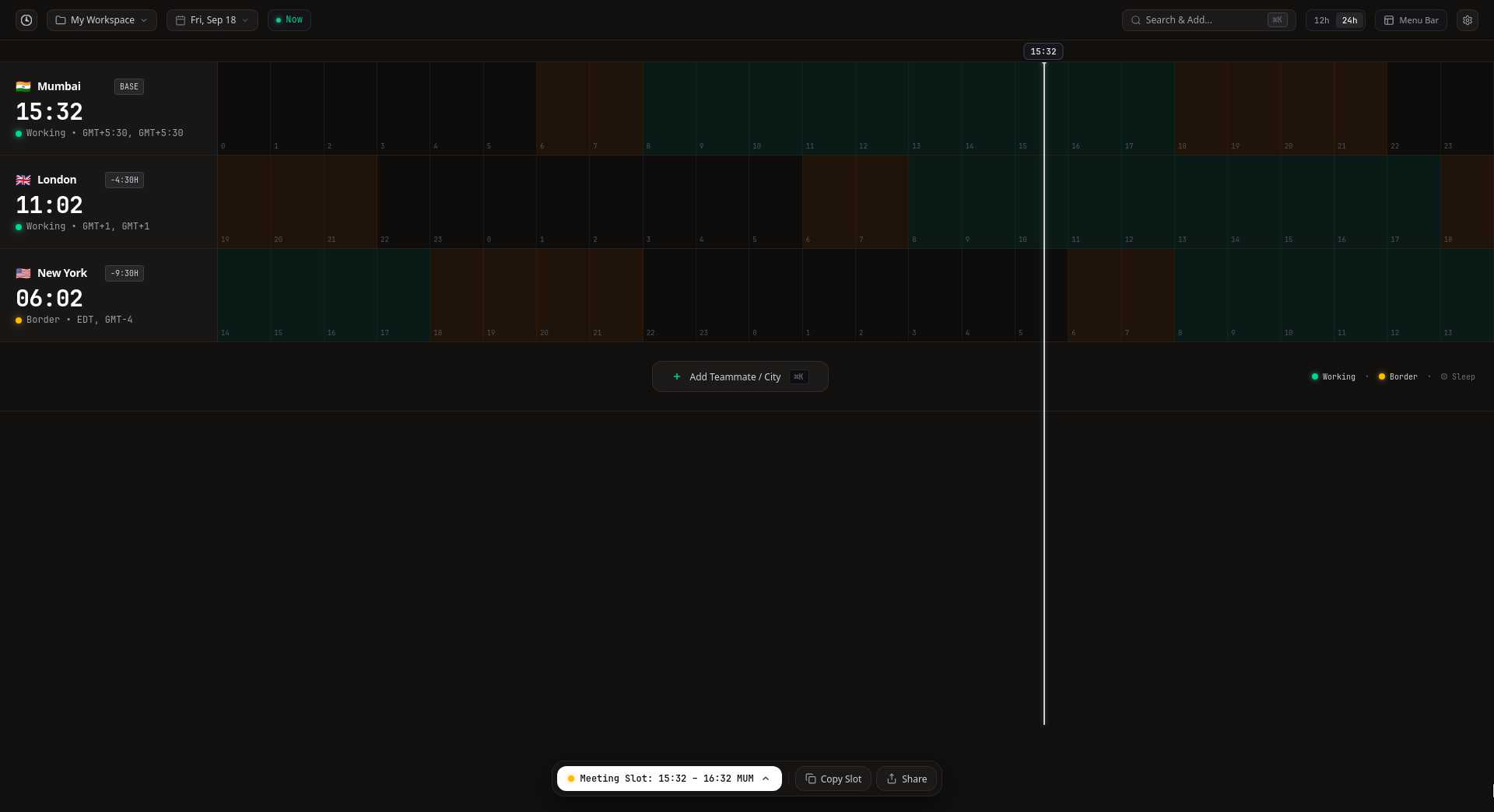
Built to stay nearby
Open it once. Keep it within reach.
RealTimeZones Desktop keeps the time zones you follow available beyond a browser tab.
- 01
System tray and menu-bar access
Check the cities you follow and restore the full workspace without searching for a browser tab.
- 02
Start at login
Launch RealTimeZones Desktop automatically, with the option to start hidden.
- 03
Close to tray
Close the main window while keeping the desktop app available from the tray or menu bar.
- 04
Persistent desktop workspace
Return to the same locally stored city and workspace setup when you reopen the app.
Workspaces for the places you track
Keep different teams and regions in their own workspace.
Create and switch between desktop workspaces without rebuilding the same city list every time.
- 1Create or switch workspace
- 2Add the cities you follow
- 3Compare their aligned timelines
- 4Select and copy a meeting slot
- 5Export workspace data when needed
- Multiple workspaces
- Rename and delete workspace
- Workspace import and export
- Locally persisted state
- Aligned city timelines
From global time to a ready plan
Everything needed to move from comparison to calendar.
Use RealTimeZones Desktop for persistent global-time context, then copy, share or export the meeting state through an explicit action.
- 01
Aligned city timelines
Compare the same moment across the cities in the active workspace.
- 02
Working-hour context
Working, Border and Sleep labels make local timing visible without reducing the decision to an invented fairness score.
- 03
Meeting-slot controls
Select a meeting interval and keep its local-time impact visible across the workspace.
- 04
Copy Slot
Copy the selected meeting time for use outside the application.
- 05
Shareable workspace state
Create a link that carries supported workspace and meeting-state information.
- 06
Calendar actions
Open a pre-filled Google Calendar or Outlook event, or create an ICS file for Apple Calendar and compatible calendar applications.
Google Calendar · Outlook · Apple Calendar · ICS File - 07
Command palette
Use the in-app quick action launcher to reach supported workspace and application actions.
- 08
Workspace import and export
Move workspace data through explicit import or export actions.
Local by default
Your desktop setup stays under your control.
RealTimeZones Desktop keeps workspace state locally and performs external actions only when you choose them.
- Local workspace persistence
- Local system storage
- No account required
- Zero registration
- Explicit workspace import and export
- User-directed files
- Explicit calendar actions
- Generated on click
- Share only when you choose
- Explicit link creation
Download RealTimeZones Desktop
Choose your platform. Keep global time nearby.
Download v1.1.0 directly. Choose the installer that matches your operating system and processor.
macOS
Choose Apple Silicon (M-series) or Intel.
Apple Silicon · DMGIntel · DMGWindows
For x64 PCs. Choose EXE for the standard installer.
Windows x64 · EXEWindows x64 · MSILinux
For x64 / AMD64. Choose your distribution’s format.
Linux x64 · AppImageDebian / Ubuntu · DEBFedora / RHEL · RPMFree plan · Pro $12 one-time · See pricing →
Prefer the browser?
Plan a meeting without installing anything.
Use the complete RealTimeZones Web Planner for duration-aware meeting planning, shareable planner links and calendar export.
Open Web Planner Free · No account required